Docusaurus
The translate-projects-docusaurus package translates the documentation pages, the blog, the React pages (code.json), and the theme texts of a Docusaurus site, and writes them into the i18n/ structure that Docusaurus already understands.
Requirements
- Node.js 20 or higher.
- A Docusaurus 3 site with the
write-translationsscript inpackage.json(included in the official template). - A project and an API token from Translate Projects. See Getting started.
1. Install the package
npm i -D translate-projects-docusaurus
2. Enable the languages in Docusaurus
Add the languages in docusaurus.config.js and the language selector in the navigation bar:
export default {
  i18n: {
    defaultLocale: 'es',
    locales: ['es', 'en', 'pt-BR', 'fr'],
    localeConfigs: {
      es: { label: 'Español' },
      en: { label: 'English' },
      'pt-BR': { label: 'Português (Brasil)' },
      fr: { label: 'Français' },
    },
  },
  themeConfig: {
    navbar: {
      items: [{ type: 'localeDropdown', position: 'right' }],
    },
  },
};
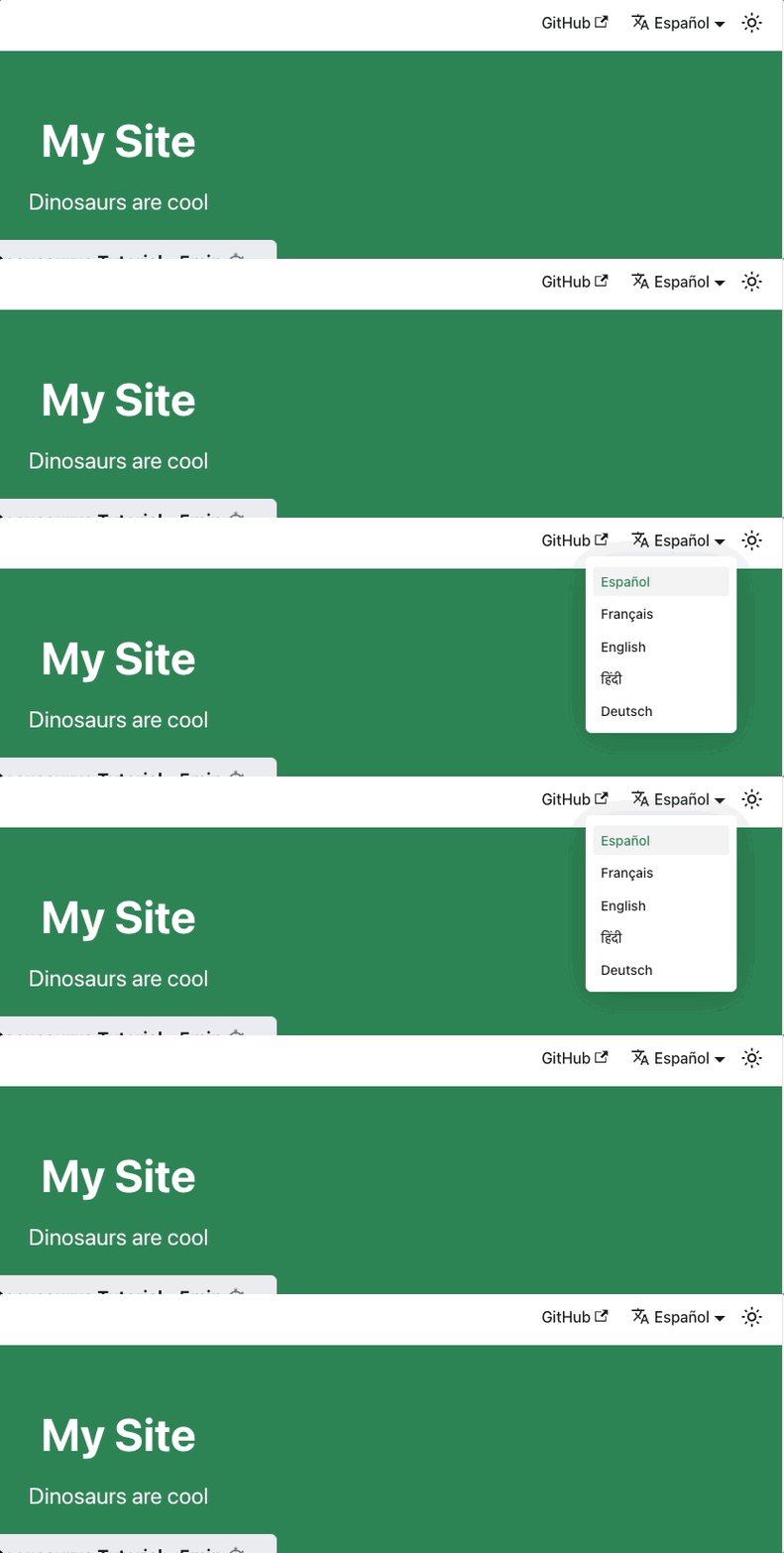
3. Write your texts in the translate/ folder
Move your docs/ and blog/ folders to translate/. From now on, you only edit translate/: the package generates docs/, blog/, and i18n/ on every run.
mkdir translate
mv docs blog translate/
translate/
├── docs/
│   └── intro.md
└── blog/
    └── 2025-01-01-bienvenida.md
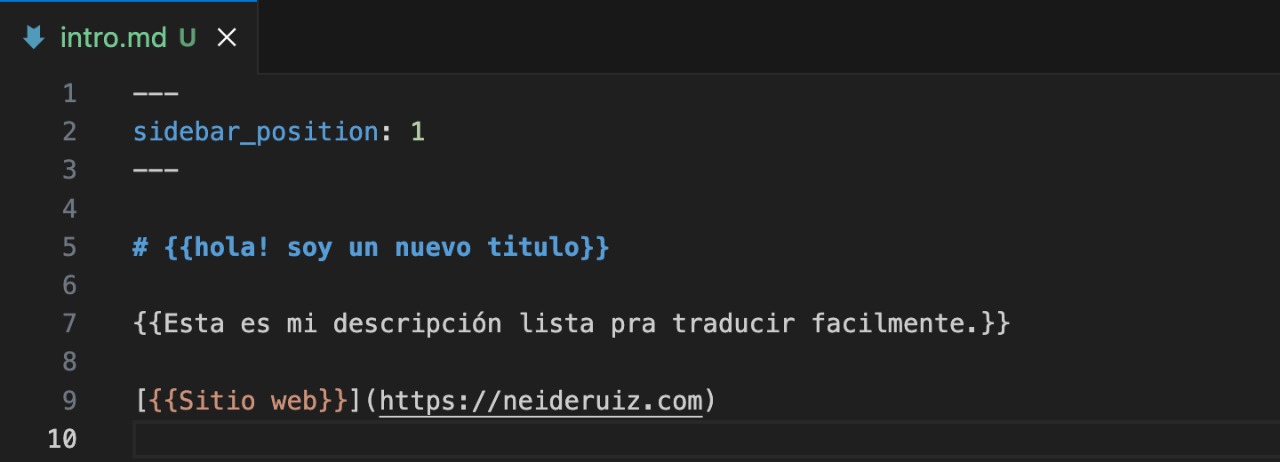
Wrap each text you want to translate in double curly braces. Anything not marked (code, links, names) is copied as is:
---
title: {{Primeros pasos}}
---

# {{Bienvenido a mi proyecto}}

{{Este párrafo se traduce.}} [{{Ver ejemplo}}](https://example.com)
- Write the text right next to the braces, with no spaces at the start or end.
- To write literal braces (for example, i18next variables in a code block), put a backslash in front of them. They are not sent for translation, and the backslash is removed from the result:
\{{lng}}→{{lng}}. - Outside of code blocks, MDX does not allow stray braces: do not leave unclosed double braces.
4. Configure the translation
Create translate.config.mjs at the root of the site. The API token is read from the environment variable TRANSLATE_PROJECTS_API_KEY:
export default {
  sourceLang: 'es', // Base language: the default language of the project
  targetLangs: ['en', 'pt-BR', 'fr'], // Languages to generate
  apiKey: process.env.TRANSLATE_PROJECTS_API_KEY,
};
And the script in package.json:
{
  "scripts": {
    "translate": "translate-projects-docusaurus"
  }
}
Options
| Option | Default | Description |
|---|---|---|
sourceLang | — | Base language (required). |
targetLangs | — | Languages to generate (required). |
apiKey | — | Project API token. |
force | false | Ignores the cache and translates everything again (same as --force). |
docs | { enable: true, baseDir: './translate/docs', outputDir: './docs' } | Documentation. |
blog | { enable: true, baseDir: './translate/blog', outputDir: './blog' } | Blog. Disable it if your site has no blog. |
react | { enable: true } | Texts of your React pages (i18n/<lang>/code.json). |
theme | { enable: true, ignoreKeys: [] } | Theme texts (navigation bar and footer). Keys that should not be translated go in ignoreKeys. |
config | { outputDir: './i18n' } | Docusaurus i18n folder. |
5. Translate
export TRANSLATE_PROJECTS_API_KEY=tu_token
npm run translate
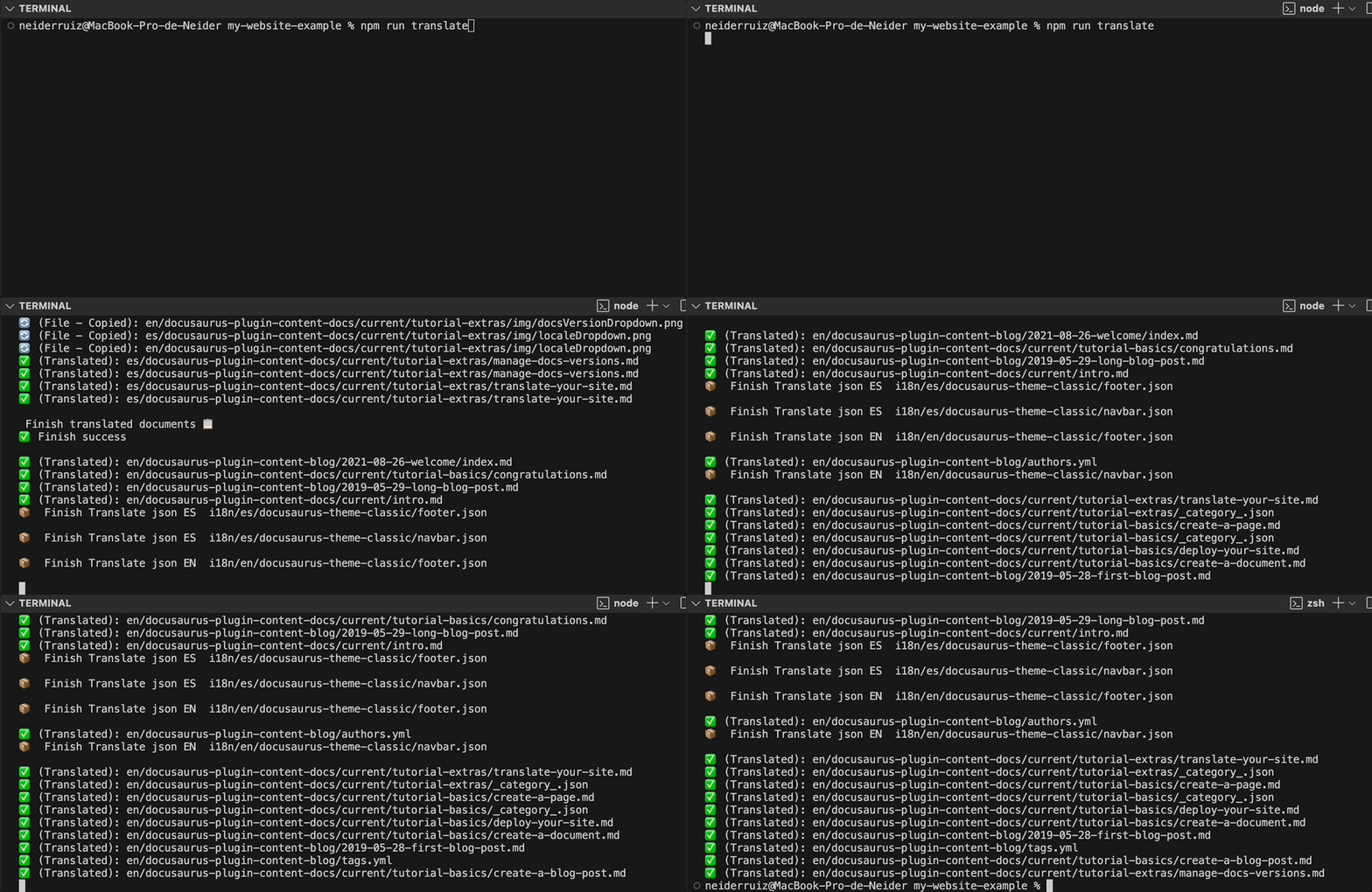
Then build the site with all languages:
npm run build
npm run serve
Files it generates
| Source | Base language | Other languages |
|---|---|---|
translate/docs/** | docs/** | i18n/<lang>/docusaurus-plugin-content-docs/current/** |
translate/blog/** | blog/** | i18n/<lang>/docusaurus-plugin-content-blog/** |
i18n/<base>/code.json | — | i18n/<lang>/code.json |
i18n/<base>/docusaurus-theme-classic/*.json | — | i18n/<lang>/docusaurus-theme-classic/*.json |
Images and other non-text files are copied to each language. If you deploy from the repository, include docs/, blog/ and i18n/ in the deployment or run the translation before the build.

Live preview while you write
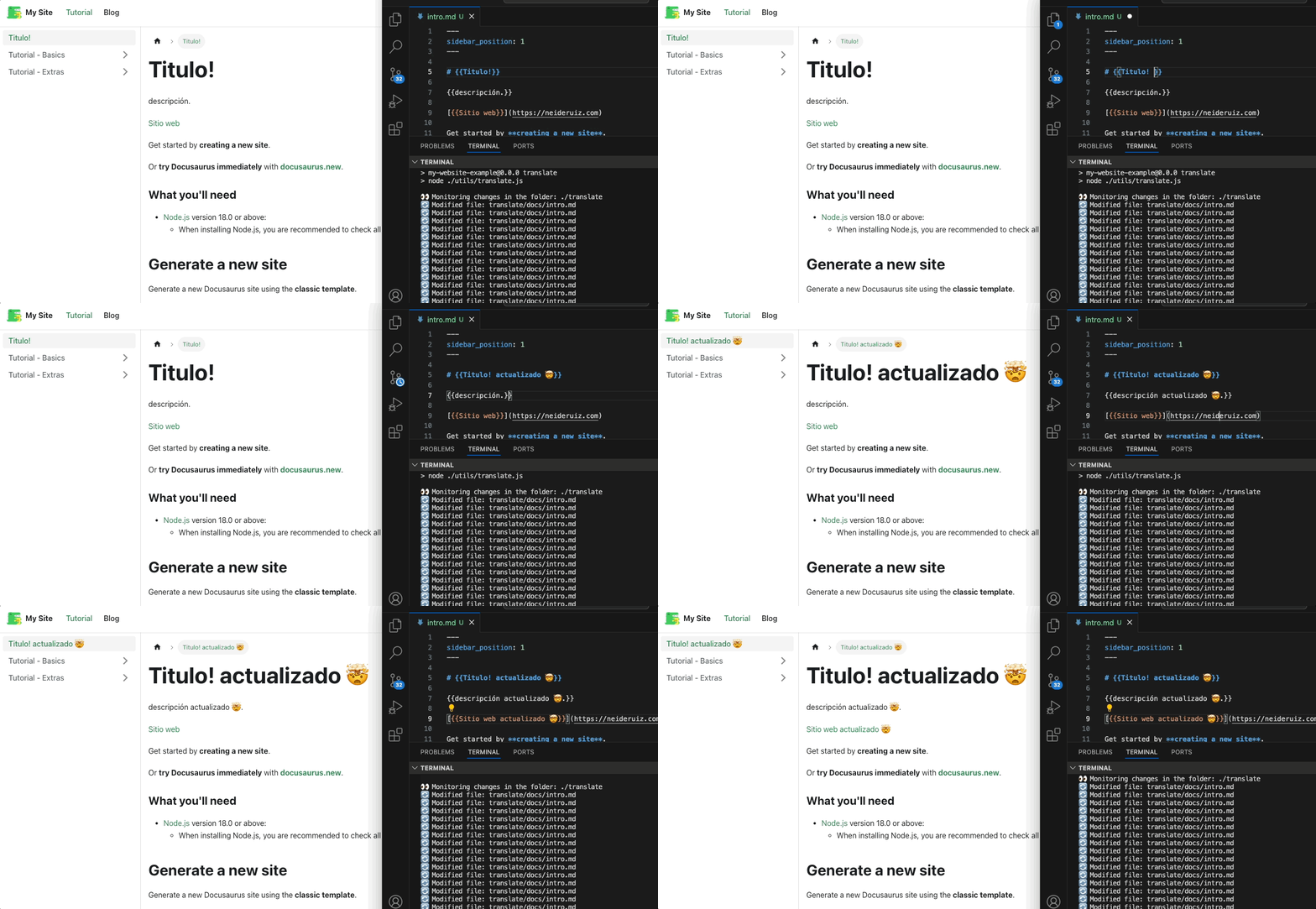
The --dev mode watches translate/ and updates the base language instantly, without calling the API:
npx docusaurus start --locale es
npx translate-projects-docusaurus --dev
Cache and --force
Only files that changed are translated; a second run without changes translates nothing. To translate everything again:
npx translate-projects-docusaurus --force
More details in Cache and errors.
Common errors
- Invalid token (401): check
TRANSLATE_PROJECTS_API_KEY. No files are written or deleted. - Missing AI key (
MISSING_API_KEY): configure the provider, the model and the key in the project. In the meantime the texts stay in the base language. - Partial translation: The missing texts stay in the base language, the command exits with code 1, and they are requested again on the next run.
- The build fails with
Invalid translation file: there is an empty or broken JSON file ini18n/. Delete it and runnpm run write-translations -- --locale <lang>. - Double curly braces appear on the translated page: the text had spaces inside the braces, or they were literal braces without
\.
🚀 Automate your translations for free
Translate Projects is free. You create your project, connect your AI provider's key, and only pay them what you spend.
- No plans or credit card required: All features are available from day one.
- Use your own AI: Claude, OpenAI, DeepSeek, or Gemini. Your key is stored encrypted.
- Shared translation network: If a text has already been translated, you receive it instantly without spending your key.
- Admin panel: Review and edit all your translations from one place.
We're here to help
If you have any questions, need help, or want to contribute, don't hesitate to contact me. I'm available to support you with whatever you need.
- Website: neiderruiz.com
- GitHub: @neiderruiz
- Twitter: @neiderruiz
- YouTube: Neider Ruiz
Support the Project
If this project has been helpful to you, I invite you to buy me a coffee. Your support helps me keep improving and creating valuable content. Thanks for being here! ☕
